Servers: A Developer Look at the Trending AI Tool (2026)
Servers: A Developer Look at the Trending AI Tool (2026)
The GitHub project modelcontextprotocol/servers has become one of the most-watched pieces of AI developer infrastructure because it addresses a problem every serious LLM application eventually hits: models are smart, but they are isolated.
A Claude, GPT, Gemini, or other model can reason over the text you send it. But by default it cannot safely inspect your repo, query your database, open a ticket, read internal docs, search a codebase, or call your local tools. Developers have solved this with ad hoc function calling, custom plugins, RAG pipelines, internal agents, and shell wrappers. The result is usually powerful, but brittle.
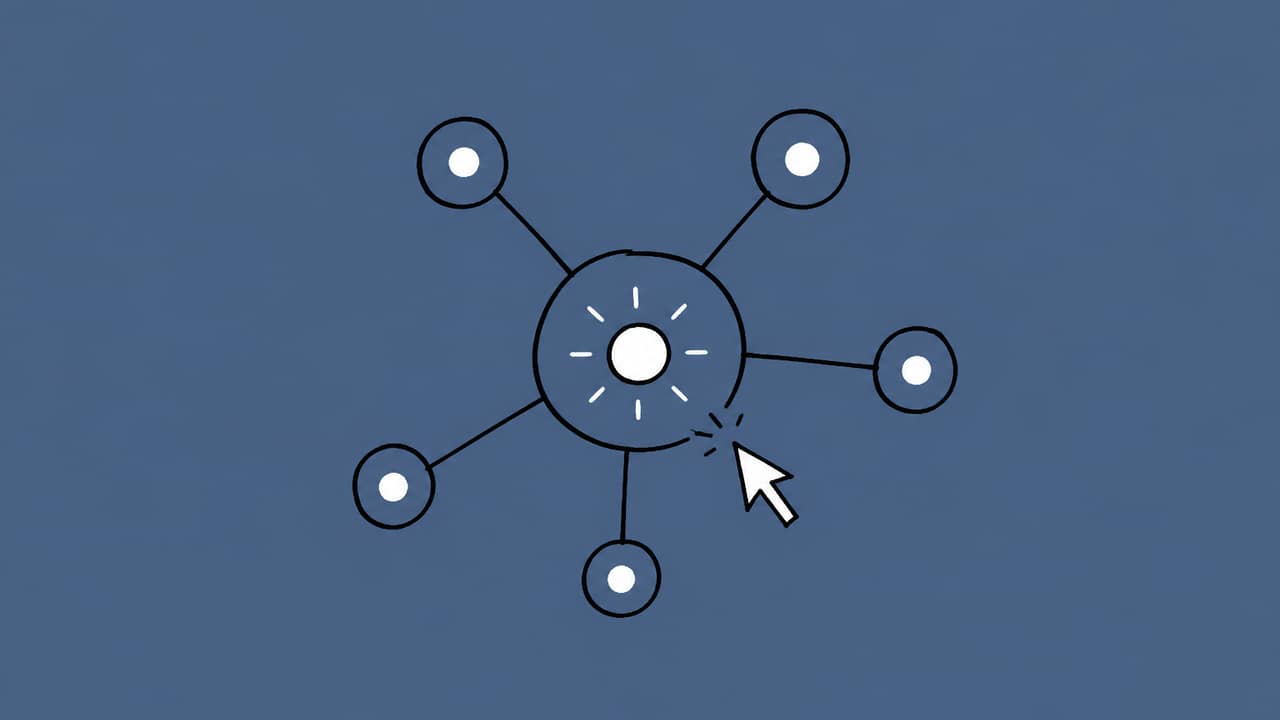
modelcontextprotocol/servers sits in the Model Context Protocol ecosystem. Its role is not to be “an AI agent” by itself. Instead, it provides server implementations that expose useful capabilities to MCP-compatible clients. In practical terms, it gives AI applications a standard way to connect to external tools and data sources.
That distinction matters. MCP servers do not replace the model. They give the model-controlled application a cleaner interface to the outside world.
The Problem It Solves
Most LLM apps need context from somewhere:
- Files on disk
- Git repositories
- Issue trackers
- Databases
- Web pages
- Internal APIs
- Cloud services
- Search tools
- Documentation
- Memory stores
Before MCP, every app typically implemented its own connectors. A coding assistant might have a custom filesystem adapter. Another agent might have a GitHub integration. A third internal chatbot might have a Postgres query tool. Each one has different authentication, schemas, transport logic, permissions, error handling, and prompting conventions.
That creates several problems:
-
Integration duplication
Every team rebuilds similar connectors. -
Tool lock-in
A connector written for one AI client often cannot be reused elsewhere. -
Unclear security boundaries
If an LLM can “use the filesystem,” what paths can it access? Can it write? Delete? Execute? -
Messy orchestration
Function calling APIs differ across Claude, GPT, Gemini, and local models. -
Poor portability
A useful database tool inside one IDE assistant may not work in another desktop client or agent framework.
MCP’s answer is to define a protocol between the AI application and external capability providers. modelcontextprotocol/servers is important because it gives developers practical server examples and implementations around that protocol.
What modelcontextprotocol/servers Actually Is
At a high level, the repository contains MCP server implementations. Each server exposes capabilities such as tools, resources, or prompts to an MCP client.
Think of it like this:
| Layer | Responsibility | Example |
|---|---|---|
| LLM API | Generates text, reasons, decides what to do next | Claude Opus 4.8, Sonnet 4.6, GPT-5.5, Gemini 3 |
| MCP client | Connects the model/app to MCP servers | Desktop AI app, IDE assistant, custom agent runtime |
| MCP server | Exposes external capabilities through the protocol | Filesystem access, Git operations, database queries |
| External system | The actual data or action target | Local repo, Postgres DB, GitHub, docs, APIs |
The server is not “the brain.” It is the structured interface to the world.
A typical MCP server might expose:
- Tools: callable actions, such as
read_file,search_repository, orquery_database - Resources: contextual data the client can read
- Prompts: reusable prompt templates or workflows
The exact capabilities depend on the specific server. The key is that they are described in a machine-readable way so an MCP client can discover and invoke them.
How It Works at a High Level
The interaction usually looks like this:
- A developer configures an MCP client to launch or connect to one or more MCP servers.
- The client asks the server what capabilities it exposes.
- The AI application presents relevant tools/resources to the model.
- The model decides, through the client, that it needs an external action.
- The client invokes the MCP server.
- The server performs the requested operation against the local system, database, API, or service.
- The result is returned to the client and inserted back into the model’s context.
For example, if a coding assistant needs to understand why a test is failing, it might:
- Ask a filesystem server to read
package.json - Ask a Git server for recent diffs
- Ask a test-runner-related tool, if available, for command output
- Summarize the likely cause
- Suggest a patch
The model still does the reasoning. MCP provides the plumbing.
Who This Is For
modelcontextprotocol/servers is useful for a few groups of developers.
AI App Builders
If you are building an AI coding assistant, internal chatbot, data agent, or developer automation tool, MCP servers can save you from writing every connector yourself.
Instead of inventing a custom protocol between your app and external tools, you can build around MCP and reuse existing server patterns.
Platform and DevTools Teams
Internal platform teams can expose company-specific systems as MCP servers:
- Deployment dashboards
- Incident tools
- Internal package registries
- Feature flag systems
- Data catalogs
- Observability APIs
This is often cleaner than giving an LLM broad API credentials and hoping your prompts enforce safety.
Power Users and Local Automation Builders
Developers using local AI assistants can connect them to carefully scoped local resources. For example, a filesystem server limited to a project directory is much safer than giving a model unrestricted shell access.
API Gateway and Multi-Model Users
If your workflow uses multiple frontier models, MCP gives you a more portable tool layer. The model may change — Claude Sonnet 4.6 for coding, Gemini 3 for long-context analysis, GPT-5.5 for planning, Fable 5 for 1M-context workflows — but your external tool interface can remain more consistent.
This is where a service like AI Prime Tech can fit naturally: it provides cheaper multi-model API access across Claude, GPT, and Gemini, with discounts advertised up to 80%. If you are running an MCP-powered agent that makes many model calls, model routing and lower API cost can matter as much as the tool architecture.
A Realistic Developer Workflow
Let’s say you are building an internal “release assistant” for a backend team. You want it to answer questions like:
“What changed since the last release, which migrations are involved, and are there open GitHub issues related to the touched services?”
Without MCP, you might write direct integrations in your app:
- Git logic
- GitHub API wrapper
- Database schema inspection
- Filesystem access
- Prompt glue for every model
With MCP, the architecture can become more modular.
Possible Workflow
-
Connect to a Git-related MCP server
The assistant asks for commit history, diffs, or changed files. -
Connect to a filesystem MCP server
It reads service manifests, migration files, changelogs, or config. -
Connect to a GitHub or issue-tracker server
It searches open issues and pull requests related to affected modules. -
Optionally connect to a database server
It inspects migration metadata or schema information, assuming read-only permissions. -
Send gathered context to the model
The model summarizes risk, generates a release note, and flags missing checks. -
Human reviews output
The assistant does not deploy automatically unless you explicitly build that workflow.
The important point is that each external system is accessed through a server with explicit capabilities. You can replace one server, add another, or change the model without rewriting the entire assistant.
How It Fits with Claude, GPT, and Gemini APIs
MCP is not the same thing as function calling, but it can complement function calling.
Claude, GPT, and Gemini APIs all support forms of tool use or structured calls. Typically, your application sends tool definitions to the model, the model requests a tool call, your application executes it, and then sends the result back.
MCP can sit behind that tool execution layer.
A simplified architecture looks like this:
User
  -> Your app / agent runtime
    -> Model API: Claude, GPT, Gemini, etc.
    <- Model requests tool call
    -> MCP client invokes MCP server
    <- MCP server returns result
    -> Model API receives result
  <- Final answer
So if you are building with Claude Opus 4.8, Sonnet 4.6, Haiku 4.5, GPT-5.5, Gemini 3, or Fable 5, you can use MCP servers as the backend capability layer. Your app still needs to translate between the model provider’s tool-calling format and MCP’s tool interface unless your client/runtime already handles it.
That translation layer is where good engineering matters:
- Normalize tool schemas
- Track tool call IDs
- Enforce authorization
- Sanitize returned data
- Handle timeouts and retries
- Prevent prompt injection from external content
- Log tool usage for auditability
MCP reduces integration chaos, but it does not remove the need for a careful agent runtime.
Practical Security Considerations
The most common mistake with tool-enabled agents is giving them too much power.
When using MCP servers, consider:
- Scope filesystem access to specific project directories.
- Prefer read-only credentials for databases and SaaS APIs.
- Separate dev, staging, and production permissions.
- Require human approval for destructive actions.
- Log every tool call with arguments and outputs.
- Treat external content as untrusted.
- Avoid passing secrets back into the model context unless absolutely necessary.
- Run servers in isolated environments where appropriate.
Remember: an MCP server may expose powerful local or remote capabilities. The protocol gives structure, not automatic safety.
Pros and Cons
Pros
-
Standardized integration model
You avoid custom one-off connectors for every AI client. -
Reusable server implementations
A server can potentially serve multiple MCP-compatible clients. -
Better separation of concerns
Models reason, clients orchestrate, servers access systems. -
Good fit for developer tools
Files, repos, databases, and docs are exactly where coding assistants need context. -
Model portability
Your tool layer can stay stable while you experiment with Claude, GPT, Gemini, or other models. -
Encourages explicit permissions
Servers can be configured around specific resources and capabilities.
Cons
-
Still requires orchestration code
MCP servers do not automatically make a full agent. -
Security is your responsibility
Bad permissions can still create serious risk. -
Operational complexity
You now manage server processes, credentials, logs, and failure modes. -
Not every integration is mature
Some servers may be examples, references, or community-maintained rather than production-ready. -
Provider APIs still differ
Claude, GPT, and Gemini tool-calling semantics are not identical. -
Prompt injection remains a problem
If a server reads a malicious web page or issue comment, the model may still be influenced by it.
When You Should Use It
Use MCP servers if:
- Your AI app needs access to multiple external systems.
- You want a reusable tool layer.
- You are building developer-facing AI workflows.
- You need local context, such as repos and files.
- You want to support multiple model providers.
- You care about cleaner boundaries between model reasoning and system access.
You may not need it if:
- Your app only calls one simple API.
- You do not need external tools or live context.
- You are building a small prototype where direct function calling is enough.
- You cannot invest in permissioning, logging, and runtime safety.
Final Take
modelcontextprotocol/servers is trending for a good reason: it addresses the unglamorous but critical part of AI engineering — connecting models to real systems in a reusable way.
It is not magic, and it is not a replacement for a well-designed agent runtime. But for developers building serious AI tools, MCP servers offer a practical abstraction: expose capabilities once, connect them to many clients, and let the model interact with the world through a clearer contract.
The best use case is not “let the AI do everything.” It is narrower and more useful: give Claude, GPT, Gemini, or another model carefully scoped access to the exact context and tools it needs.
If you combine that with thoughtful orchestration, strong permissions, and cost-aware model routing through services like AI Prime Tech, MCP servers can become a durable foundation for the next generation of developer AI workflows.
One API key for Claude Opus 4.8, Sonnet 4.6, Haiku 4.5, Fable 5, plus GPT & Gemini — up to 80% off official pricing, pay-as-you-go.
Get Your API Key →